Science of Climate
I set the scenes up as objects with various lifecycle states
juggling active states
I spent the first part of the project thinking up of how I can organize the code so that it has a good structure.
What I landed on was setting all scenes as individual objects that have multiple lifecycle states (such as Start, Enable, Disable and Update). This way I could keep track of the current active scene as well as handle transitions to other scenes using intro/outro animations.
Most things are animated through code (only the boats in the last scene are baked in), so this way I was also able to update the active scene each frame in order for them to play.
next up was positioning all clouds procedurally
handling rotations using nested parents
I wanted to be able to animate everything procedurally, since I knew that the models will take some time to load and animation data is quite heavy.
The clouds are positioned using multiple parent layers acting as gimbals. The clouds are instantiated at the center of the world, translate upwards, and then their parent rotates laterally to a random degree between 30º and 150º.
In order to simulate rotating around the planet, a final enclosing parent rotates around the local Z axis.
used some math to mimic cloud banding patterns
a little bit about how I did that
Saving the degree to which the clouds rotate laterally was very useful. One of the changes that the client asked for was to simulate the varying cloud banding speeds.
In order to achieve this I mapped the degree value from the 30º-150º range to 0-2𝛑, fed that into a sine function to get a repeating wave pattern and then raised that to a power of two so that the negative part of the wave would flip to a positive one (essentially creating two hills).
I then added that as a multiplier to the already existing speed calculation. You can see more clearly how this affects the animation when using a higher modifier value.
See how that looks
converting everything I can to instances
fitting as many objects as we could
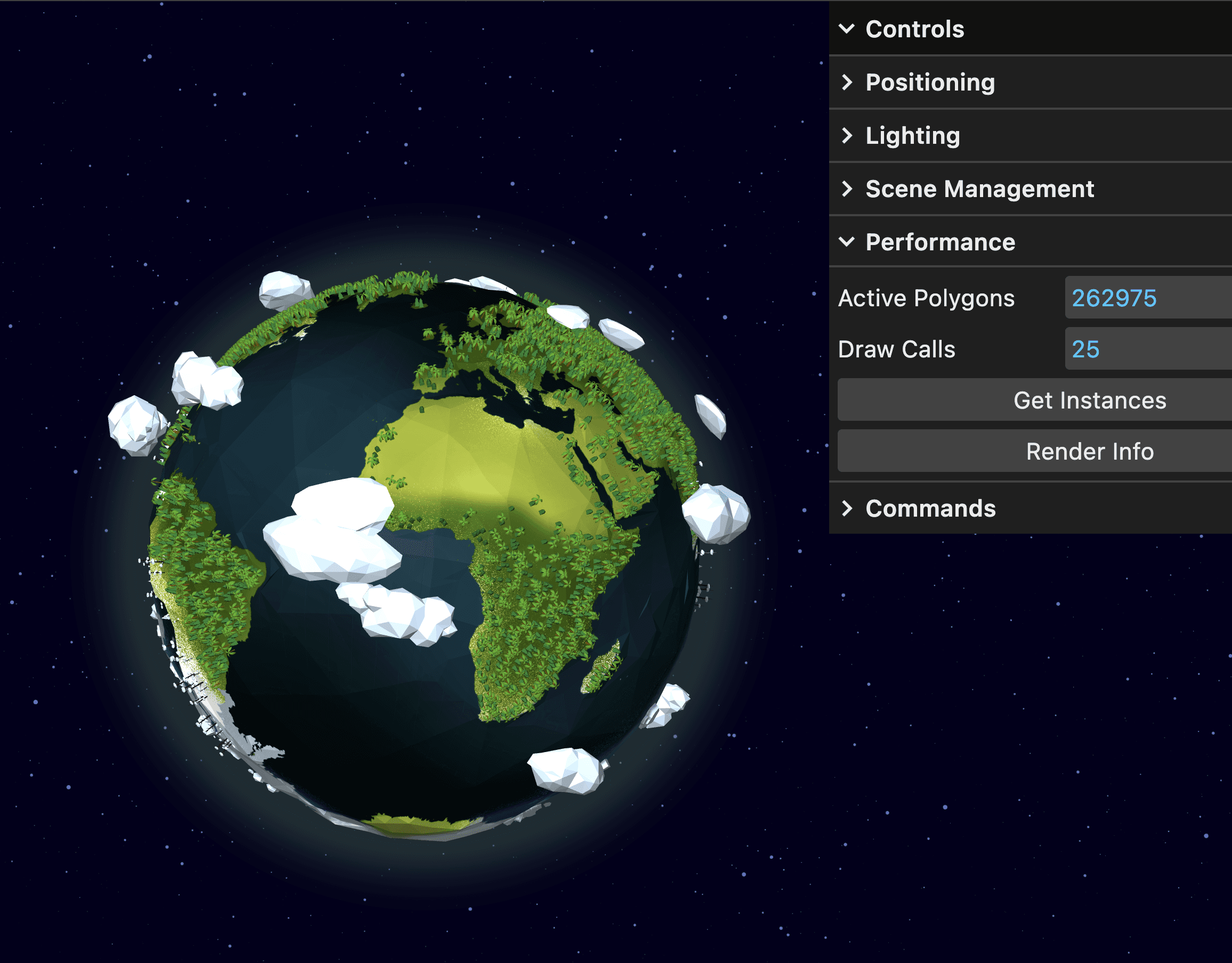
We knew from the start that the planets were going to be populated with a lot of small and repeating elements.
To keep everything running smoothly, all duplicates are converted to instances. This means the same object can be reused many times in a much more efficient way.
The models are downloaded in the background while the app is idle, but the optimization step only runs once when a scene is first opened. As a result, we avoid unnecessary processing and keep performance stable, especially on mobile devices.
how many polygons can you have on screen?
technical paper comparing WebGL and WebGPU
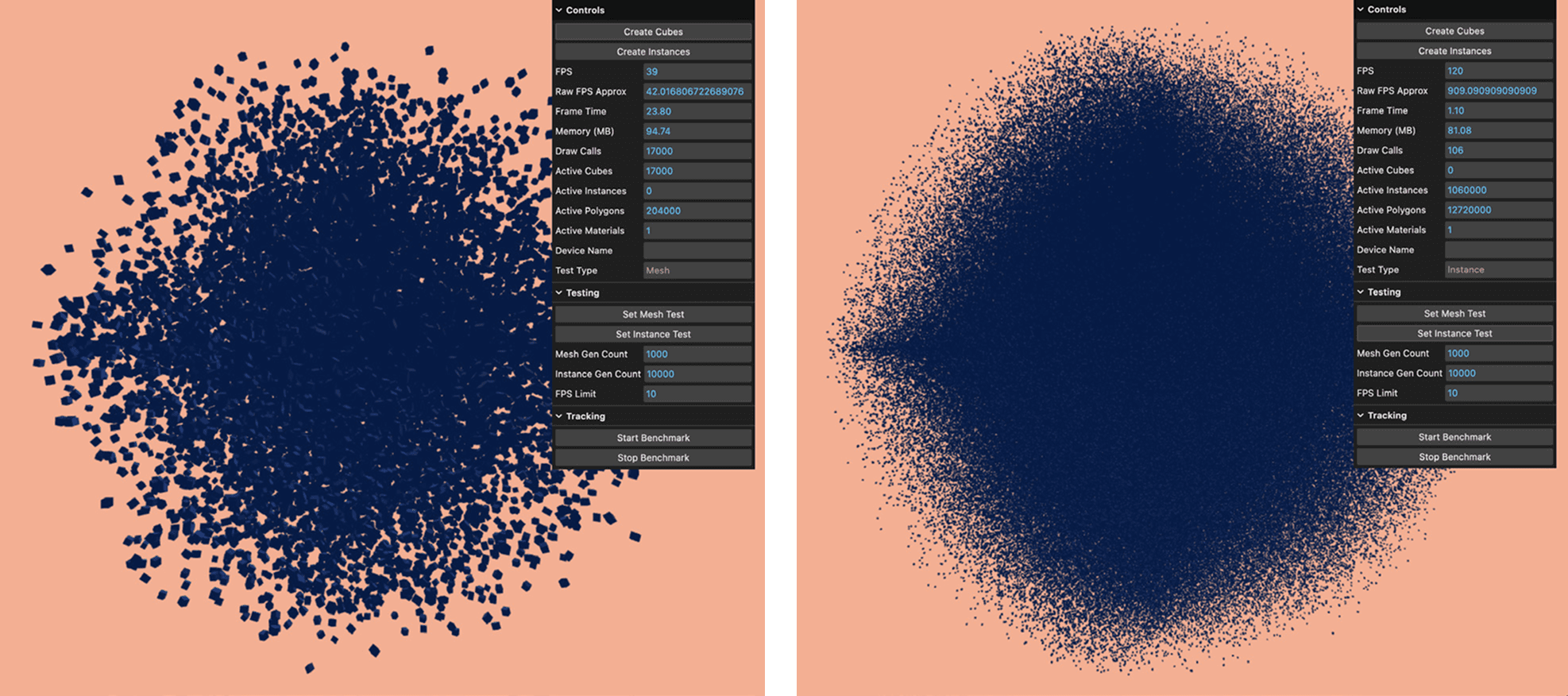
During the project I also worked on a technical paper for university. I chose to compare the WebGL and WebGPU graphics libraries by creating an experiment stress testing two popular frameworks: ThreeJS and BabylonJS.
The main result was that in order to get a 3D environment running above 30FPS on as many devices as possible you need to aim for at most 100K unique polygons or about 3M instanced polygons.
added a quick shader to animate the atmosphere
more of a billboard effect
In order to add a bit of movement to the atmosphere I created a fragment shader that grows outwards using a sin function. This shader is applied on a plane that's being created on each separate scene.
Usually you would use a sphere with inverted normals for the geometry, but since the camera is fixed in place this worked well.
Bonus: Tresure Hunt Game for HiFest
Reusing the project as a social activation for HiFest 2025
creating a treasure hunt using URL parameters
links that contain data
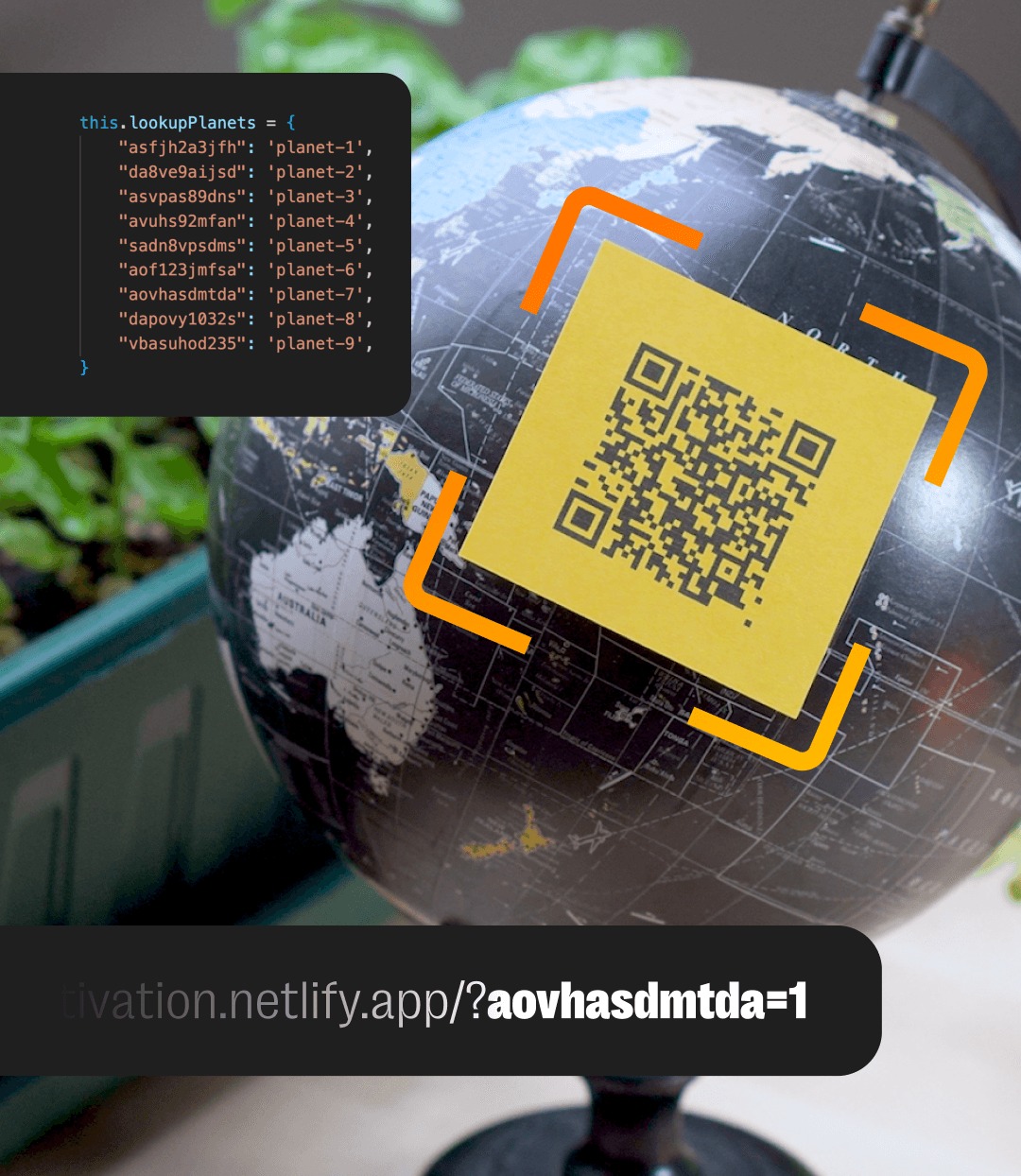
The way that the game works is that you scan different QR codes, and each of them has a different parameter at the end that corresponds to a particular element.
The reason for adding a lookup table was so that people don't just unlock everything by manually changing the link.
(you can find more QR codes in the showreel)
integrating ThreeJS and Rive for the UI
button states, transitions & events
For this game I've first created the UI design starting from the HiFest branding. Next up, I animated all the different button states and hooked them up so that they emit events when clicked.
I then capture these events in code and enable the respective planets, timing everything carefully so that the ThreeJS and Rive transitions sync up nicely.